Priority Matrix: Release Notes
Planner and Teams Assistant Improvements
Version 20260912 - 2026-09-12
fix
ai
planning
microsoft-teams
Reversing priority order now preserves your plan writeup. Microsoft Teams task summaries present today's ranked work before the current plan and avoid repeating the same items.
AI Planner
Major Update
Version 20260910+2.135.3 - 2026-09-10
feature
ai
planning
microsoft-teams
security
Build a daily or weekly plan from your work, adjust the selected items and workload, and keep previous plans in History. Planner, Meeting Agenda, Executive Briefing, and Create Items from Notes are available with Business Class access or an active trial. Improved navigation on small screens and fixed Microsoft Teams assistant responses and links to the current plan. This release also includes security hardening.
Meeting Agenda Navigation on Small Screens
Version 20260831+2.133.3 - 2026-08-31
fix
meetings
navigation
mobile
Fixed opening items from Meeting Agenda on narrow screens so you can inspect tasks while working on an agenda.
Faster Item Loading
Version 20260826 - 2026-08-26
improvement
performance
inbox
Reduced unnecessary work when loading items, improving responsiveness in the inbox and other item lists.
Meeting Agendas
Major Update
Version 20260824+2.133.0 - 2026-08-24
feature
ai
meetings
project-management
Prepare an editable meeting agenda from project items. Choose the meeting purpose, duration, attendees, and lookback period, then review and refine the discussion items and writeup. Copy or email the result, browse previous agendas, or continue from an earlier meeting.
Clearer Project Membership
Version 20260822+2.132.3 - 2026-08-22
fix
teams
project-management
restricted-projects
Project administrators are now labeled in the members list. Improved feedback for invitations that cannot be completed in restricted projects.
Restricted-Project Collaboration
Version 20260819 - 2026-08-19
fix
followers
restricted-projects
collaboration
Fixed follower invitations between existing members of restricted projects and improved feedback when an assignment or invitation is not permitted.
Briefing Navigation and Restricted Projects
Version 20260813+2.132.0 - 2026-08-13
improvement
ai
navigation
restricted-projects
Improved navigation and feedback in Executive Briefings and Create Items from Notes. Fixed an issue that could block edits to existing items in restricted projects.
Pending Team Invitations
Version 20260812 - 2026-08-12
fix
teams
account-management
Fixed pending team-invitation links in Manage Account so invitations can be accepted or rejected reliably.
Executive Briefings
Major Update
Version 20260806+2.131.17 - 2026-08-06
feature
ai
reports
project-management
Create an editable executive briefing from recent activity in a selected project. Choose the reporting period, review and copy the writeup, and reopen previous briefings from History. Also fixed errors that could interrupt AI responses.
Overdue Tasks and Subscription Reliability
Version 20260731+2.131.15 - 2026-07-31
improvement
agenda
notifications
subscriptions
The Home view now highlights overdue tasks. Overdue alerts and reminders have separate filters and clear actions. Improved the reliability of recognizing App Store subscriptions.
Better Transcript Imports
Version 20260724 - 2026-07-24
improvement
ai
task-creation
microsoft-teams
Improved action-item suggestions from meeting transcripts, with better speaker handling and fewer duplicate suggestions. Transcript uploads can now be up to 30 MB. Also improved proactive task messages in Microsoft Teams.
Easier Review of Suggested Items
Version 20260717+2.131.6 - 2026-07-17
improvement
ai
task-creation
files
security
Improved the review and confirmation steps when creating items from notes, making it easier to check suggestions before adding them to a project. This release also includes security hardening of file handling.
Create Items from Notes
Major Update
Version 20260710 - 2026-07-10
feature
ai
task-creation
files
Turn pasted notes or uploaded documents into suggested action items. Review and edit the suggestions, then choose a destination project, quadrant, and default owner before creating the items. Supports TXT, PDF, DOCX, SRT, and VTT files. This release also improves file-upload reliability and includes security hardening.
More Reliable Task Reminders
Version 20260702 - 2026-07-02
fix
notifications
performance
reliability
Improved the reliability of task-summary notifications for accounts with large numbers of items and reduced delays while scheduling background work.
Microsoft Connection Reliability
Version 20260629 - 2026-06-29
fix
microsoft-integration
reliability
security
Corrected a service configuration issue affecting Microsoft connections. This release also includes security hardening.
Faster Account Pages
Version 20260625 - 2026-06-25
improvement
performance
account-management
Improved page-rendering performance for account and other server-rendered pages.
Clearer Account Navigation
Version 20260623 - 2026-06-23
improvement
account-management
navigation
usability
Updated account and sign-in pages with clearer navigation, grouped settings, and more consistent forms.
Security Update
Version 20260619 - 2026-06-19
fix
security
Security hardening of web pages.
Subscription Processing and Security
Version 20260614 - 2026-06-14
fix
subscriptions
reliability
security
Improved reliability when processing subscription payments. This release also includes security hardening.
Partial Updates for API Integrations
Version 20260610 - 2026-06-10
feature
api
integrations
security
Integrations using API v2 can update selected item or project fields without resending the whole record. Item moves can be included in a partial update. This release also includes security hardening.
SMS Integration Update
Version 20260606 - 2026-06-06
improvement
integrations
security
Removed the legacy SMS and phone-delegation integration. This release also includes security hardening.
Security Update
Version 20260604 - 2026-06-04
fix
security
Security hardening of web pages and integrations.
Security Update
Version 20260526 - 2026-05-26
fix
security
Security hardening of web requests.
Email-to-Task Reliability
Version 20260520 - 2026-05-20
improvement
email
integrations
reliability
Improved how incoming email is routed to Priority Matrix items and projects, including messages addressed through email aliases.
Security Update
Version 20260518 - 2026-05-18
fix
security
Security hardening of the Priority Matrix service.
Security Update
Version 20260512 - 2026-05-12
fix
security
Security hardening of the Priority Matrix service.
File Uploads, Search, and Zendesk
Version 20260505 - 2026-05-05
fix
files
search
zendesk
integrations
Fixed file-upload failures, restored the account search page, and improved Zendesk connection reliability when an access token expires.
Security Update
Version 20260429 - 2026-04-29
fix
security
Security hardening of report delivery.
Windows App Downloads
Version 20260428 - 2026-04-28
fix
windows
downloads
Fixed an issue that could prevent the Windows app download from starting.
Security Update
Version 20260424 - 2026-04-24
fix
security
Security hardening of web pages.
Profile Picture Delivery
Version 20260415 - 2026-04-15
fix
profile
images
security
Improved profile-picture delivery and included security hardening.
Security Update
Version 20260413 - 2026-04-13
fix
security
Security hardening of file handling and the Priority Matrix service.
Comment Reliability and Account Security
Version 20260401 - 2026-04-01
fix
comments
security
Fixed errors when displaying comments containing braces. This release also includes security hardening of account services.
Security Update
Version 20260327 - 2026-03-27
fix
security
Security hardening of project templates.
Profile Picture Downloads
Version 20260325 - 2026-03-25
fix
profile
images
Fixed an error when downloading a profile picture for a user represented by initials.
Profile Picture Updates
Version 20260324 - 2026-03-24
fix
profile
images
Fixed profile-picture updates so switching your picture is reflected consistently.
Microsoft Teams Search and Security
Version 20260322 - 2026-03-22
fix
microsoft-teams
search
security
Improved the reliability of Priority Matrix search in the Microsoft Teams message extension. This release also includes security hardening.
OneDrive File Uploads
Version 20260318 - 2026-03-18
fix
onedrive
files
integrations
Fixed an issue that could send an empty file when uploading an attachment to OneDrive.
Assistant Reliability and Security
Version 20260317 - 2026-03-17
fix
assistant
reliability
security
Fixed errors when processing assistant responses. This release also includes security hardening.
Team Activity Reports
Version 20260311 - 2026-03-11
fix
teams
reports
Restored access to team activity information in the Growth view for authorized teammates.
Gmail Add-On Reliability
Version 20260310 - 2026-03-10
fix
gmail
integrations
reliability
Fixed an error that prevented the Gmail add-on from connecting to Priority Matrix.
Security Update
Version 20260308 - 2026-03-08
fix
security
Security hardening of user-data APIs.
Security Update
Version 20260303 - 2026-03-03
fix
security
Security hardening of user-data APIs.
File Upload Reliability
Version 20260223 - 2026-02-23
fix
files
reliability
Fixed a service compatibility issue that prevented files from uploading.
Search Reliability
Version 20260220 - 2026-02-20
fix
search
reliability
Restored reliable search after a service compatibility issue.
Gantt Loading and Team Updates
Version 20260219+2.131.1 - 2026-02-19
fix
gantt
teams
reliability
Fixed invalid project links that prevented Gantt charts from loading. The webapp now refreshes user-group information automatically, so team changes appear without a full page reload.
Sign-In and Subscription Reliability
Version 20260206 - 2026-02-06
fix
sso
subscriptions
reliability
security
Improved single sign-on account matching and made sign-in errors clearer. App Store purchases now retry validation when purchase details are temporarily unavailable. This release also includes security hardening.
More Complete Search Updates
Version 20260203 - 2026-02-03
fix
search
reliability
Fixed an issue that could leave some items out of updated AI search results.
File Upload and Collaboration Reliability
Version 20260127 - 2026-01-27
fix
files
followers
restricted-projects
Improved file-upload error handling and fixed errors when inviting followers to items in restricted projects.
Longer Item History and Reliable Sign-Out
Version 20260109 - 2026-01-09
improvement
search
account-management
Paying customers no longer have a date limit on item history and search, and free accounts can look back up to a year. Fixed an issue that prevented the sign-out link from signing users out.
Trial Signup and Search Reliability
Version 20260105 - 2026-01-05
fix
signup
search
reliability
Fixed issues with starting a trial and improved the reliability of search indexing for larger accounts.
Security Update
Version 20251217 - 2025-12-17
fix
security
Security hardening of the Priority Matrix service.
Security Update
Version 20251208 - 2025-12-08
fix
security
Security hardening of the Priority Matrix service.
Account Exports and Subscription Options
Version 20251121 - 2025-11-21
improvement
account-management
exports
subscriptions
security
Former paying customers can export their account data after a subscription ends. Added support for six-month subscription plans. This release also includes security hardening.
Security Update
Version 20251103 - 2025-11-03
fix
security
Security hardening of cloud services.
Out-of-Office Conflict Detection
Major Update
Version 20251009 - 2025-10-09
feature
scheduling
teams
business-feature
Business accounts can identify tasks whose due dates overlap with an owner's out-of-office period, helping teams plan assignments around absences. This release also includes security hardening.
Bulk Unfollow and Project Permissions
Version 20250814+2.130.3 - 2025-08-14
improvement
followers
bulk-edit
project-management
You can now unfollow multiple selected items at once to reduce notifications. Project creators are correctly recognized as administrators when no administrator has been explicitly assigned. We also improved error handling when copying restricted projects.
Search and One-on-One Filtering
Version 20250725 - 2025-07-25
fix
search
one-on-one
filters
Fixed filtering in search and the One-on-One view so the results match your selected criteria.
Navigation Crash Fix
Version 2.130.1 - 2025-07-25
fix
navigation
stability
bug-fix
critical
Fixed a critical navigation crash that was affecting 580 users. The issue occurred when urlData was undefined, causing a TypeError. We've added proper null checking before destructuring urlData in the linkManager to prevent this crash and ensure smoother navigation for all users.
Gantt Chart Stability Improvements
Version 2.130.0 - 2025-07-10
fix
gantt
stability
bug-fix
performance
Fixed several issues with the Gantt chart that could lead to a blank screen for some users. We've added defensive programming to handle unexpected data conditions, including missing or invalid dates and other incongruent data from the API. The Gantt chart is now more robust and reliable for all users.
Improved Lock Icon Visibility
Version 2.129.5 - 2025-07-05
improvement
ui
restricted-projects
visibility
accessibility
Enhanced the visibility of the lock icon for restricted projects. When a restricted project is selected, the lock icon now displays in white against the blue selection background, providing better contrast and making it easier to identify restricted projects at a glance.
Global Gantt View Control Accessibility Fix
Version 2.129.4 - 2025-06-24
fix
gantt
controls
accessibility
bug-fix
Fixed an issue where global Gantt view controls would disappear when no items were selected. Now the filter and project controls remain visible and accessible even when all projects are unselected, and the loading spinner no longer blocks clicks on top bar controls during data fetching. Users can now modify project selections regardless of current filter state, making the Gantt view more reliable and user-friendly.
Restricted Projects for Enhanced Security
Major Update
Version 2.129.3 - 2025-06-18
feature
security
access-control
restricted-projects
business-feature
Introducing Restricted Projects - a powerful new security feature for sensitive work. When you tag a project as 'restricted', only project administrators can add new members, and nobody can assign items to non-members. This gives you complete control over who can access confidential information, making it perfect for HR projects, legal matters, financial planning, and any work requiring strict access control. Available with Business and Collaborate plans.
Calendar Integration and Bulk Follower Management
Version 2.128.8 - 2025-05-15
improvement
calendar
followers
bulk-edit
microsoft-integration
We've made two key improvements to enhance your workflow:
• Clarified the "Include Calendar Events" setting to specify it refers to "Microsoft Events" for better understanding
• Added a new item multi-edit option that lets you add followers to multiple items in bulk, making team collaboration setup much faster and more efficient
URL Tag Filtering Improvements
Version 2.128.7 - 2025-04-28
fix
filters
tags
url-tracking
bug-fix
We've fixed an issue where using tag filters in URLs would sometimes apply incorrectly in project views. This update improves how tag parameters are handled, ensuring more consistent and predictable behavior when sharing filtered views with colleagues or bookmarking specific project configurations.
Webinar Reminder Toggle in Preferences
Version 2.128.6 - 2025-04-21
feature
preferences
webinars
customization
We've added a new webinar reminder toggle in the Preferences dialog. You can now control whether webinar reminders are displayed according to your preference. We've also renamed "Appearance Settings" to "Preferences" to better reflect the broader range of settings available. This feature is available in all supported languages.
Filter Flickering Fix
Version 2.128.5 - 2025-04-14
fix
filters
ui
bug-fix
Fixed issues with flickering in the filter interface. This improves the overall stability and user experience when applying filters to your projects and items.
Inbox Item Count Accuracy
Version 2.128.4 - 2025-04-12
fix
inbox
item-count
bug-fix
Fixed an issue where the inbox was displaying an incorrect number of items because it included finished items by default. Now we only display unfinished items in the count, giving you a more accurate view of pending work.
Recently Visited Items Improvements
Version 2.128.3 - 2025-04-10
fix
recently-visited
performance
ui
We've fixed several issues with the Recently Visited items feature:
• Items from multiple selections now properly appear in the list
• Fixed inconsistencies between list view and matrix view item selection
• The recently visited list is now preserved across page refreshes
• Improved performance with better state management
These improvements make it easier to find and return to items you've recently worked on, saving you time when switching between tasks.
Calendar Events Toggle in Agenda View
Version 2.128.2 - 2025-04-07
feature
agenda
calendar
customization
We've added a new "Include Calendar Events" toggle option in the Agenda view. This allows you to choose whether calendar events from your connected calendars are displayed alongside your task items. Your preference is remembered between sessions, giving you more control over what information is shown in your agenda.
Remembering the last display mode for each project
Version 2.128.1 - 2025-04-04
fix
display
ui
When you change the display mode for a project, the app will now remember your choice. This means that when you switch between projects, the app will automatically use the last display mode you selected for each project. When you come back to the project, it will be displayed in the same mode you used last time. This makes it easier to work with different projects without having to change the display mode every time.
Showing the release notes within the app itself
Version 2.128.0 - 2025-03-30
fix
display
ui
In order to facilitate understanding the changes made to the app, we have added a new feature that allows you to view the release notes directly within the app. This will help you stay informed about the latest updates and improvements without having to leave the application.
Improved Alert System
Version 2.127.16 - 2025-03-30
fix
alerts
notifications
ui
We've enhanced the alerts system to maintain your current filter when viewing items. You'll also see more accurate notification counts for each category, and we've added a convenient option to clear specific types of notifications instead of having to clear them all at once.
Fixed One-on-One View Crash
Version 2.127.15 - 2025-03-25
fix
one-on-one
bug-fix
performance
We fixed an issue that was causing crashes when using the one-on-one view and selecting the owner filter from the side panel. Now the app will not show a blank screen when this interaction happens.
Calendar View Server-Side Fix
Version 2.127.14 - 2025-03-20
fix
calendar
bug-fix
filtering
We resolved an issue where the calendar view would sometimes crash when filtering by owner. Your calendar view will now remain stable regardless of how you filter your events.
Enhanced Project Filter Tracking
Version 2.127.13 - 2025-03-15
improvement
projects
filters
url-tracking
We've made it easier to understand which projects are included or excluded in your filters. These details are now clearly reflected in the URL, making shared links with colleagues more predictable and useful.
Calendar Overflow Behavior Fix
Version 2.127.12 - 2025-03-10
fix
calendar
ui
We've restored the familiar experience in calendar view where clicking the overflow link (which appears when you have too many events to display) will show all events in a convenient popup. This makes it easier to quickly scan all of your scheduled events on busy days.
Calendar Library Update
Version 2.127.11 - 2025-03-05
fix
calendar
library-update
stability
We've improved the stability of the calendar view by updating our underlying calendar technology. This fixes a crash that some users were experiencing and makes the calendar more reliable for everyone.
Performance and International Support
Version 2.127.10 - 2025-03-01
improvement
infrastructure
internationalization
performance
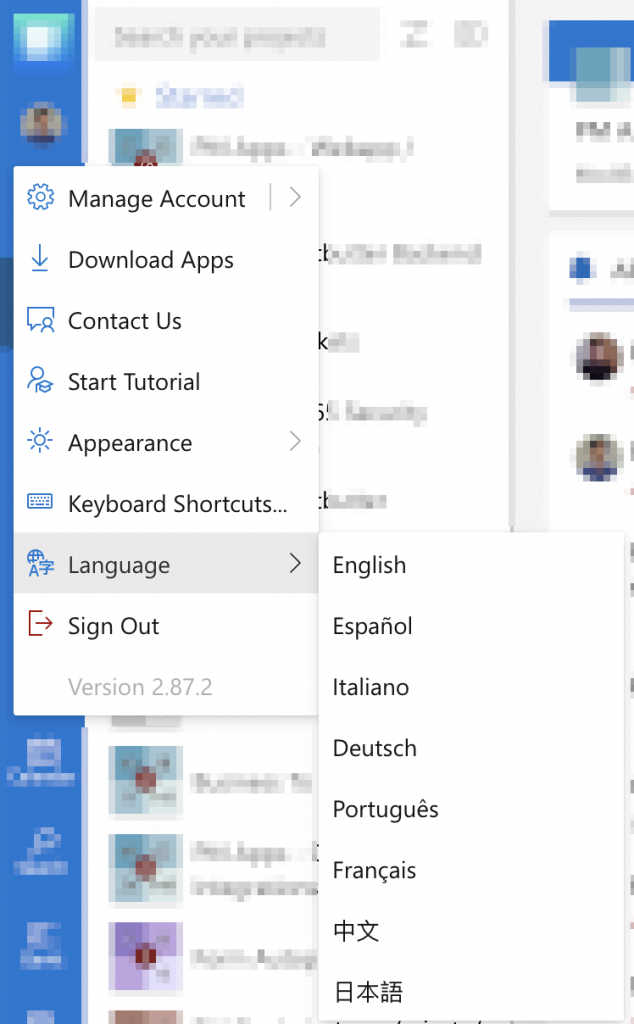
We've made several behind-the-scenes improvements to make the application faster and more reliable for everyone. We've also fixed issues with Chinese language support and improved translations throughout the alerts view, making Priority Matrix more accessible to our international users.
Project Selector Improvements
Version 2.127.9 - 2025-02-25
fix
code-quality
bug-fix
We've made improvements to the project selector drawer to ensure it works more reliably. These behind-the-scenes changes help prevent potential errors and improve the overall quality of the application.
Performance and Localization Improvements
Version 2.127.8 - 2025-02-20
improvement
performance
code-quality
internationalization
We've optimized the Projects view and Filters panel to load faster and respond more quickly to your interactions. We've also improved language support by adding additional translations for new UI elements, making Priority Matrix more accessible to our international users.
Home View Performance Enhancements
Version 2.127.7 - 2025-02-15
improvement
performance
code-quality
We've made several optimizations to the Home View to make it more responsive and smoother to use. These improvements reduce memory usage and make the application feel snappier, especially when switching between different views or working with many items.
Project-Level Filters in URL
Version 2.127.6 - 2025-02-10
feature
projects
filters
sharing
url-tracking
Now you can easily share your exact project view with teammates! When you apply filters or change how items are sorted, those preferences are saved in the URL. This means you can bookmark specific views, share links with teammates, or simply refresh the page without losing your place. Just copy and share the URL to show others exactly what you're seeing.
Dark Mode Compatibility
Version 2.127.5 - 2025-02-05
improvement
dark-mode
ui
accessibility
We've enhanced the dark mode experience by improving the visibility of menu buttons and adjusting the alerts filter size. These changes make the application more comfortable to use in low-light environments and reduce eye strain during evening work sessions.
Responsive Filter Display
Version 2.127.4 - 2025-02-01
improvement
responsive
ui
filters
The filter controls now smartly adapt to the available screen space. On larger screens, you'll see convenient filter buttons, while on smaller screens or when space is limited, the filters will appear in a compact dropdown menu. This improvement makes Priority Matrix more user-friendly across all device sizes.
Alerts View Filtering
Version 2.127.2 - 2025-01-25
improvement
alerts
agenda
filtering
Finding your important alerts just got easier! We've improved the way you can filter alerts for overdue items and reminders. We've also integrated the agenda today view with alerts, providing a more cohesive experience when managing time-sensitive notifications.
Agenda View Relocation
Version 2.127.1 - 2025-01-20
improvement
agenda
ui
organization
We've added a shortcut to the Agenda View to the left side panel, to make it easier to find and use. This change puts your upcoming activities right where you need them, alongside your projects, making it simpler to plan your day and stay on top of your schedule.
Enhanced Alerts View
Major Update
Version 2.127.0 - 2025-01-15
feature
alerts
filtering
inbox
major-feature
We've completely redesigned the Alerts system to help you stay on top of your notifications! You can now filter alerts by type, making it easier to focus on what matters most. We've added an Inbox/New Assignments section to the Projects Panel for quick access to your latest notifications, and visibility filters automatically appear when you have new alerts. You can even share specific alert views with teammates via URL. This major improvement helps you manage notifications more efficiently and ensures you never miss important updates. Learn more about this update in our blog post.

Search View Scrolling Fix
Version 2.126.5 - 2025-01-10
fix
search
ui
bug-fix
We've fixed an issue where you might see blank cells when scrolling quickly through search results with the group-by-project option enabled. Now you can scroll through your search results as fast as you want without any display glitches or missing content.
Search Filter URL Integration
Version 2.126.4 - 2025-01-05
improvement
search
filters
url-tracking
Your search preferences now stay with you! We've updated the search functionality to remember how you sort items by storing these preferences in the URL. This means you can bookmark specific search views or share them with teammates, and everyone will see the results sorted exactly as you intended.
Date Shortcut Reordering
Version 2.126.3 - 2025-01-01
improvement
date-picker
ui
usability
We've reorganized the date shortcut buttons to follow a more intuitive sequence: 'In 1h, Tomorrow, In 1 week, In 1 month'. This chronological ordering makes it easier and faster to set due dates that match your planning horizons.
Bidirectional Search Filter Tracking
Version 2.126.2 - 2024-12-25
improvement
search
filters
url-tracking
Your search filters now work both ways! When you manually change the URL or click back in your browser, your search filters update to match the URL. This makes navigating between different search views much more intuitive and predictable, and ensures that shared links always show exactly what you expect them to show.
Completion Date Filtering
Version 2.126.1 - 2024-12-20
feature
filtering
completion-date
reporting
You can now filter items by when they were completed! This powerful new option makes it easy to see what you accomplished last week, last month, or any custom date range. Perfect for progress tracking, reporting to stakeholders, or just celebrating your team's achievements over time. Use this feature to quickly generate reports of completed work for any time period you choose.

Search View Submenu Rendering
Version 2.126.0 - 2024-12-15
fix
search
ui
sharing
We've fixed an issue with the share and edit menus in the search view that was preventing them from displaying correctly. Now you can easily share and edit items directly from your search results without any visual glitches or menu problems.
Clearer Error Messages
Version 2.125.10 - 2024-12-10
improvement
error-handling
user-experience
We've made our error messages more helpful when you're working with a mix of starred and unstarred items. The new, more concise messages clearly explain what's happening and how to resolve the situation, making it easier to understand and fix the issue.
Menu Positioning Fix
Version 2.125.9 - 2024-12-05
fix
ui
menus
bug-fix
We've corrected issues with dropdown menu positioning throughout the application. Menus now consistently appear in the right place, even near the edges of the screen or when you have limited space. This makes navigation and interaction more reliable no matter where you click or what device you're using.
Content Display at Full Resolution
Version 2.125.8 - 2024-12-01
fix
ui
display
accessibility
We've resolved a display issue that was preventing some users from viewing all content when using 100% resolution. You can now see all your information clearly without needing to zoom or adjust your display settings, ensuring a better viewing experience for everyone.
Dark Mode Background Switching
Version 2.125.7 - 2024-11-28
fix
dark-mode
ui
accessibility
• Fixed an issue where parts of the application didn't properly update when switching between light and dark mode while the app was in the background
Project Filter Persistence
Version 2.125.6 - 2024-11-25
improvement
projects
filters
usability
• Improved project filtering behavior to maintain your filter settings after selecting a project
• This enhancement makes it easier to navigate between filtered projects without having to reapply your filter each time
Error Handling Improvements
Version 2.125.5 - 2024-11-21
fix
stability
error-handling
• Fixed several error conditions that could affect application stability
• Implemented improved error recovery mechanisms
Dashboard Item Cell Accessibility
Version 2.125.4 - 2024-11-18
fix
accessibility
dashboard
projects
• Fixed title attribute in dashboard project item cells to improve accessibility
• Enhanced screen reader compatibility for project items
Context Menu and File Handling Enhancements
Version 2.125.3 - 2024-11-15
improvement
ui
menus
file-handling
• Consolidated context menus throughout the application for more consistent user experience
• Improved email file handling to open .eml files directly without intermediate browser steps
Idea Generation and CSV Enhancements
Version 2.125.2 - 2024-11-12
improvement
idea-generation
csv
data-import
• Improved support for nested projects in the Idea Generation feature
• Enhanced CSV import and export functionality
Start Date Visual Indicator
Version 2.125.1 - 2024-11-09
improvement
ui
dates
visual-indicators
• Added visual highlighting for items with past start dates
• Previously, only past due dates were highlighted, but now items that should have been started already are also visually indicated
Multi-item Drag and Drop
Version 2.125.0 - 2024-11-05
feature
drag-and-drop
multi-select
productivity
• Added ability to select and drag multiple items at once
• This powerful enhancement allows for much faster reorganization of your projects by moving multiple items simultaneously
Quadrant Filter in Custom Filters
Version 2.124.9 - 2024-11-01
fix
filters
quadrants
bug-fix
• Fixed an issue where quadrant filter wasn't being properly applied in custom filters
Enterprise Edition Enhancements
Version 2.124.7 - 2024-10-28
improvement
enterprise
ui
• Made UI improvements for enterprise customers
• Streamlined interface elements for specialized enterprise environments
Quick Items and Filters Enhancement
Version 2.124.6 - 2024-10-25
improvement
quick-items
filters
productivity
• Improved the Quick Items feature with better filtering options
• Enhanced usability of frequently accessed items and filters
Billable Hours Computation
Version 2.124.5 - 2024-10-22
feature
time-tracking
billable-hours
comments
• Added functionality to compute billable hours for time tracking
• Fixed an issue where Attach File and Invite Someone menu entries didn't work properly when comments were present
Template Creator Information
Version 2.124.4 - 2024-10-19
improvement
templates
collaboration
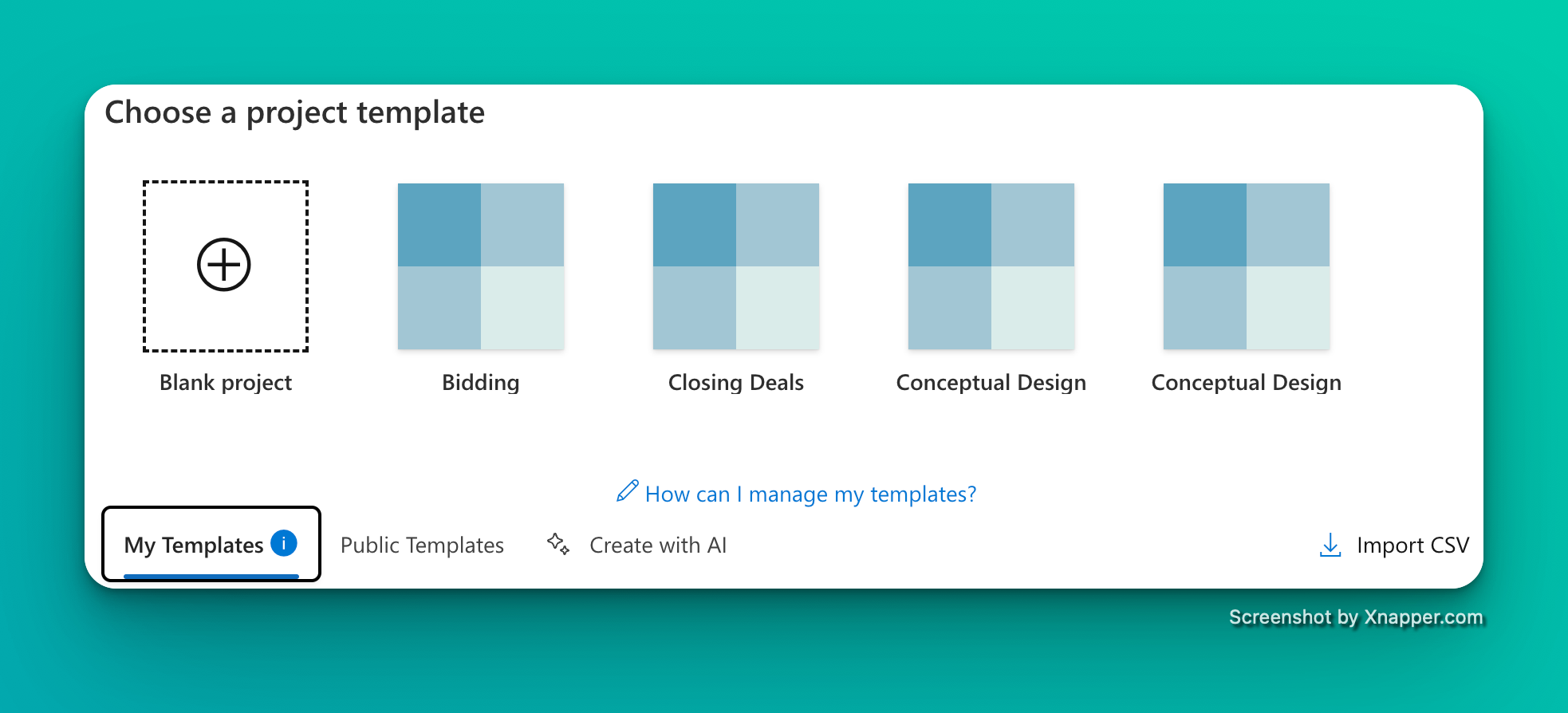
• Added template creator information in the template list for better context
• This enhancement helps teams identify who created each template, making template management more efficient
Billable Hours Tracking
Version 2.124.2 - 2024-10-16
feature
time-tracking
billable-hours
reporting
• Introduced a new feature to compute and track billable hours
• This enhancement is particularly useful for consultants, freelancers, and service-based businesses who need to track time spent on billable activities
Email Attachment Preview Enhancement
Version 2.124.1 - 2024-10-13
improvement
email
attachments
preview
• Added file name indication in email previews
• This enhancement provides better context when previewing email attachments
Template Creation Fix
Version 2.124.0 - 2024-10-10
fix
templates
bug-fix
• Fixed an issue where users couldn't uncheck the "Mark all items as done" switch button when creating a template
• This fix provides more flexibility when creating project templates
Account Management and Feature Visibility
Version 2.123.2 - 2024-10-07
improvement
account-management
feature-visibility
subscriptions
• Added option to delete account in iOS for improved account management
• Enhanced UI to clearly indicate which features require a business subscription
• These improvements provide better transparency and control over your account
Quadrant Interaction Improvements
Version 2.123.1 - 2024-10-04
fix
quadrants
drag-and-drop
starred-items
• Fixed issue with dragging starred items to quadrants without starred items
• Improved handling of blur events when editing quadrant titles
• These fixes enhance the overall stability and usability of the matrix view
Quadrant Item Count Accuracy
Version 2.123.0 - 2024-10-01
fix
quadrants
item-count
accuracy
• Fixed an issue where the item count in the top left of each quadrant was one higher than it should be
• This fix ensures you always see the correct number of items in each quadrant
Agenda Count Accuracy
Version 2.122.1 - 2024-09-28
fix
agenda
alerts
counting
• Fixed incorrect agenda count displayed inside alerts
• This fix ensures you always see the accurate number of agenda items requiring your attention
Version Reporting Enhancement
Version 2.122.0 - 2024-09-25
improvement
versioning
desktop-app
• Improved version reporting in desktop applications
• This enhancement ensures more accurate tracking of application versions for better support and troubleshooting
In-App Notification Refresh
Version 2.121.16 - 2024-09-22
improvement
notifications
refresh
performance
• Added automatic refresh of in-app notifications when returning to the application
• Implemented intelligent debouncing (10-second delay) to prevent excessive refreshing
• This improvement ensures you always see the latest notifications without overwhelming the system
Work Prioritization for Team Members
Version 2.121.14 - 2024-09-19
improvement
teams
prioritization
linked-projects
• Added improved visibility for non-admin team members to easily identify what to work on now
• Enhanced linked project creation when adding items in dashboard projects
• These improvements make it easier for team members to stay focused on the right priorities
Multiple UI and Feature Enhancements
Version 2.121.12 - 2024-09-16
improvement
ui
gantt
item-conversion
• Made item names read-only when linked to a project for consistency
• Improved Gantt chart loading states for better user experience
• Fixed text selection in quoted responses
• Added ability to convert an item to a project directly from the item context menu
• These improvements enhance overall usability across multiple features
Linked Item Navigation
Version 2.121.11 - 2024-09-13
fix
linked-items
navigation
• Fixed a bug where users weren't automatically taken to newly created linked items
• This fix improves workflow when creating linked items using the details panel
Notification Polling Optimization
Version 2.121.9 - 2024-09-10
improvement
notifications
performance
optimization
• Improved webpush alerts polling mechanism
• This enhancement ensures more reliable delivery of notifications while optimizing system performance
Gantt Chart Stability
Version 2.121.8 - 2024-09-07
fix
gantt
stability
project-management
• Fixed a crash that occurred when opening project-level Gantt charts
• This fix ensures stable performance when viewing project timelines
Custom Filter Saving
Version 2.121.7 - 2024-09-04
fix
filters
saving
bug-fix
• Fixed errors that occurred when saving custom filters
• This fix ensures your carefully crafted filters are always saved correctly
One-on-One View for Enterprise
Version 2.121.5 - 2024-09-01
fix
one-on-one
enterprise
microsoft-integration
• Fixed an issue where the Microsoft data section appeared blank in the one-on-one view for enterprise users
• This fix ensures complete data visibility in secure enterprise environments
Item Creation Navigation
Version 2.121.4 - 2024-08-28
fix
item-creation
navigation
usability
• Fixed an issue where newly created items wouldn't open automatically after clicking the "Add" button
• This fix improves workflow when creating new items via popup
Date Editing and Dashboard Improvements
Version 2.121.3 - 2024-08-25
fix
dates
dashboard
list-view
• Fixed an issue preventing users from editing item dates
• Improved display of dashboard projects in List mode
• These fixes enhance core functionality for managing dates and viewing projects
Gantt Chart and Linked Project Enhancements
Version 2.121.2 - 2024-08-22
improvement
gantt
linked-projects
visualization
• Improved linked project detection in item cells
• Enhanced Gantt chart with additional features based on customer feedback
• These improvements make project timeline visualization and linked project management more effective
Alerts and Linked Projects
Version 2.121.1 - 2024-08-19
improvement
alerts
notifications
linked-projects
• Enhanced alerts by showing notification type (mention, assignment, due date, reminder)
• Added ability to create linked projects directly when adding items in dashboard projects
• These improvements make notification management and project linking more intuitive
Gantt Chart Customer Improvements
Version 2.121.0 - 2024-08-16
improvement
gantt
timelines
project-planning
• Enhanced Gantt chart functionality based on customer feedback
• Added optimizations and usability improvements to timeline visualization
• These enhancements make project planning and scheduling more effective
Task Priority Change Fix
Version 2.120.2 - 2024-08-13
fix
task-priority
bug-fix
• Fixed an issue where task priority couldn't be changed in certain views
• This fix ensures you can always adjust task priorities as needed
Gantt Chart Options Fix
Version 2.120.1 - 2024-08-10
fix
gantt
stability
date-filtering
• Fixed a crash in Gantt chart when enabling the "items without date" option
• This fix ensures stable performance when viewing all items in your timeline, including those without assigned dates
Item to Project Conversion
Major Update
Version 2.120.0 - 2024-08-07
feature
item-conversion
projects
workflow
• Added ability to convert an item into a project
• Enhanced visual representation of completion percentage
• Improved tag creation by automatically focusing on the input field in the new tag popup
The item-to-project conversion feature makes it easy to expand a task into a full project when it becomes more complex than initially anticipated.